前言
某天在给网站日常折腾的时候,看见了一些不得了的东西。
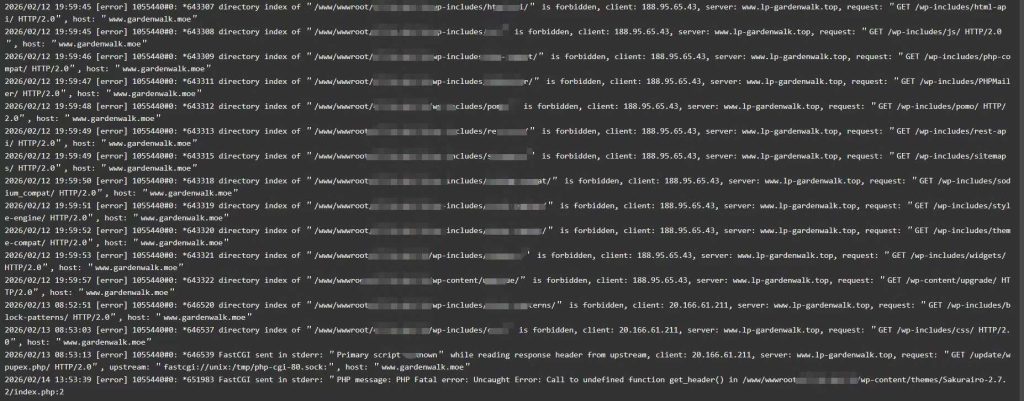
为什么这么多陌生IP要扫描它们不该扫的东西呢?(⊙ˍ⊙)
把日志喂给DeepSeek后,结果告诉我:
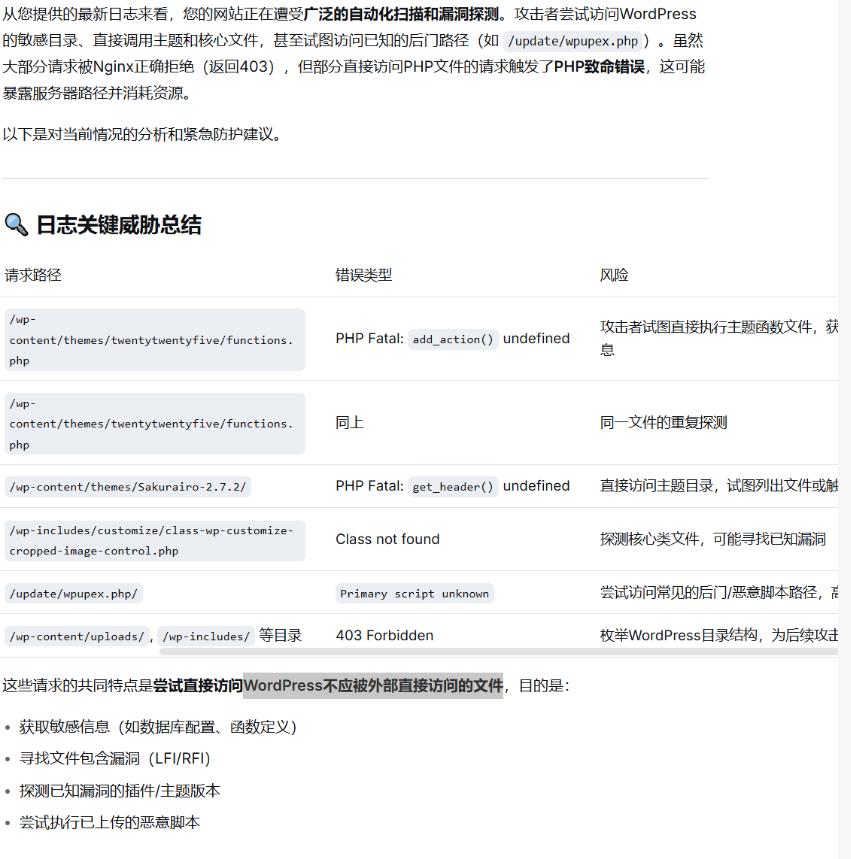
(ˉ▽ˉ;)…这下只能动用点手段了。
操作
认真梳理了日志后,发现攻击脚本主要在做两件事:
扫描 WordPress 核心目录:比如 /wp-includes/、/wp-content/下的各种子目录,想看看有没有敏感文件泄露。
探测后门路径:像 /update/、/upgrade/、/backup/、/tmp/ 等。
所以说,我们的规则主要针对这些目录下php文件就可以了。o(* ̄▽ ̄*)o
Nginx
打开你的Nginx具体网站配置文件,一般来说位于/etc/local/nginx/conf/vhost/www.example.com.conf中。
而后将以下代码放在所有其他location块之前↓
1 | #禁止wp-includes下php文件 |
完事后,我们重载一下Nginx,然后使用命令来测试一下
1 | curl -I https://www.example.com/wp-includes/functions.php |
完成ヾ(≧ ▽ ≦)ゝ
另外地,极少数情况下,某些插件或主题可能会要求直接访问某个 PHP 文件(例如提供前端动态资源),如果确实有这样现象,可以这样处理ヾ(^▽^*)))↓
在 Nginx 配置中,在封禁规则之前添加一条允许特定路径的规则。比如说,如果有一个合法文件需要访问 wp-content/themes/theme0721/special.php,可以这样写:
1 | # 允许特定的PHP文件(在封禁规则之前) |
Cloudflare
首先在Cloudflare的安全性→安全规则中点击创建规则
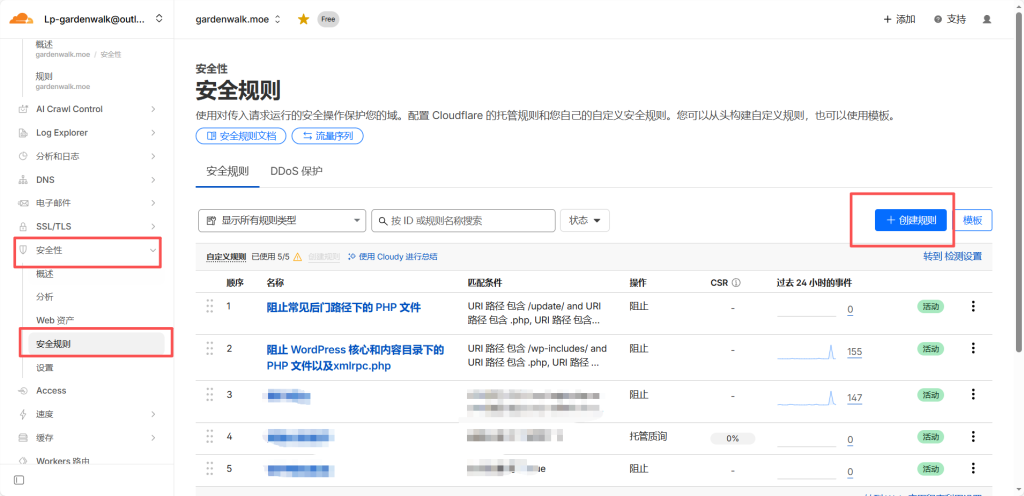
随后创建两条规则:
1.阻止常见后门路径下的 PHP 文件
1 | (http.request.uri.path contains "/update/" and http.request.uri.path contains ".php") or (http.request.uri.path contains "/upgrade/" and http.request.uri.path contains ".php") or (http.request.uri.path contains "/backup/" and http.request.uri.path contains ".php") or (http.request.uri.path contains "/tmp/" and http.request.uri.path contains ".php") |
随后采取阻止措施。
2.阻止 WordPress 核心和内容目录下的 PHP 文件以及xmlrpc.php
1 | (http.request.uri.path contains "/wp-includes/" and http.request.uri.path contains ".php") or (http.request.uri.path contains "/wp-content/" and http.request.uri.path contains ".php") or (http.request.uri.path contains "/xmlrpc.php") |
随后采取阻止措施。
规则保存后,再用代理 IP 访问那些路径,几乎都是 403。( •̀ ω •́ )y
完事之后,我们再来看一下日志:
1 | 2026/02/20 05:11:20 [error] 1357777#0: *672950 directory index of "/www/.../wp-includes/" is forbidden |
会很明显的看到全是forbidden,(这就代表这些访问已经被Nginx返回403拒绝啦♪(´▽`))没有一条 PHP 错误。Cloudflare事件里也看到自定义规则在拦截那些后门路径的探测。
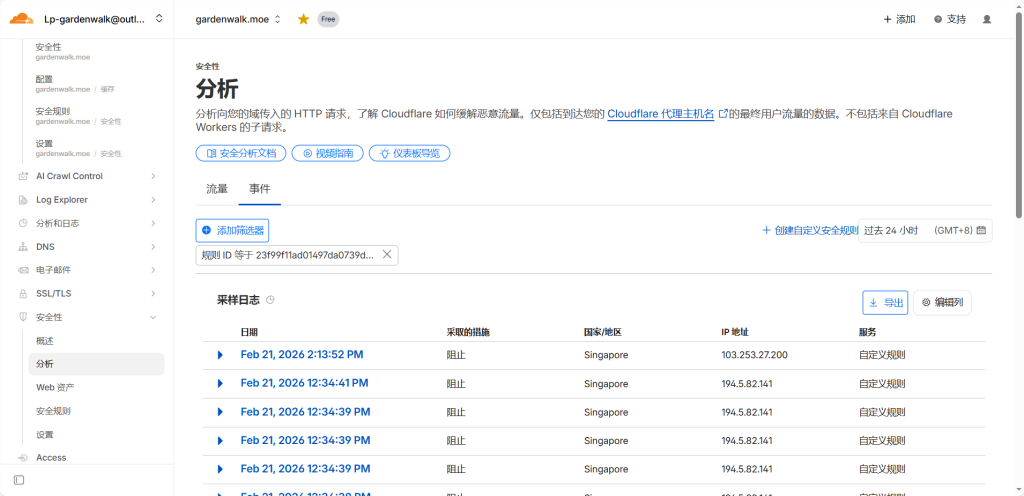
这样一来的话,针对于前言提到的问题,我们便可以有效地缓解啦。(o゚v゚)ノ